Description
Canon 070H Compatible Toner (5640C001) | High-Yield Printing in Canada
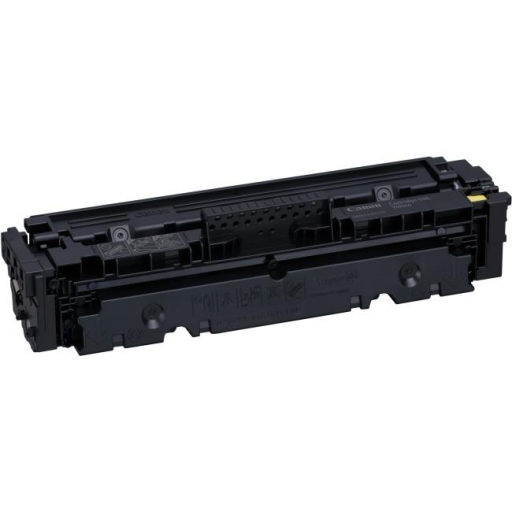
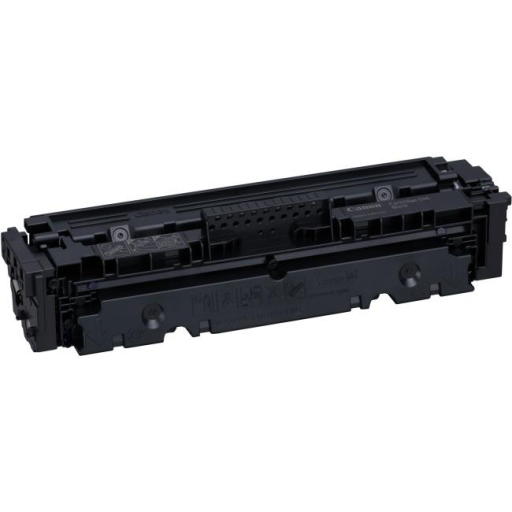
Whether you are managing a busy office in Toronto or a home business in Vancouver, keeping your printing costs down without sacrificing quality is a top priority. The Canon Compatible Toner 070H (5640C001) is the high-capacity solution designed to keep your workflow moving.
At Toner Ink Canada Incorporated, we provide premium compatible cartridges that match the performance of original brands at a fraction of the cost. Below is everything you need to know about this high-yield powerhouse.
Why Choose the Canon 070H (5640C001) Compatible Toner?
The "H" in 070H stands for High Yield, and it certainly lives up to the name. While a standard 070 cartridge yields about 3,000 pages, the 070H version is engineered to deliver up to 10,200 pages (at 5% coverage).
Key Benefits for Canadian Businesses:
-
Extreme Cost Savings: Lower your "Cost Per Page" significantly compared to standard cartridges.
-
Efficiency: Fewer cartridge changes mean less downtime and less packaging waste.
-
Premium Quality: Our toners at Toner Ink Canada Incorporated are tested to ensure crisp black text and smudge-resistant grayscale images, perfect for professional documents.
-
Full Compatibility: Designed to fit perfectly in your Canon imageCLASS series printers without voiding your warranty.
Product Specifications: Canon 070H (5640C001) Compatible
| Feature | Details |
| Brand | Toner Ink Canada Incorporated (Compatible) |
| OEM Part Number | 5640C001 |
| Cartridge Code | Canon 070H (High Capacity) |
| Color | Black |
| Page Yield | Up to 10,200 Pages (at 5% coverage) |
| Yield Type | High-Yield / High-Capacity |
| Shelf Life | 24–36 Months |
| Print Technology | Laser |
| Condition | Brand New Compatible |
Printer Compatibility List
Our Canon 070H compatible toner is specifically engineered for the following Canadian printer models:
-
Canon imageCLASS LBP Series: LBP246dw, LBP247dw
-
Canon imageCLASS MF Series: MF462dw, MF465dw
Troubleshooting Your Canon 070H Toner
Even with high-quality compatible toners, you may occasionally encounter minor setup hurdles. Here is how to handle them:
-
"Non-Canon Cartridge Detected" Message: This is a standard notification. Simply click "OK" or "Close" on your printer screen to bypass it. The printer will function normally.
-
Cartridge Not Recognized: Remove the toner and ensure all protective orange clips and the plastic pull-tab (sealing tape) have been completely removed. Re-insert until you hear a firm click.
-
Light or Faded Prints: Before installing, gently rock the cartridge side-to-side 5–6 times to redistribute the toner powder inside, which may have settled during shipping across Canada.
-
Ghosting or Streaking: Run the printer's internal "Cleaning Page" through the settings menu. This clears the fuser and drum of any residual dust.
Frequently Asked Questions (FAQ)
Q: Will using a compatible 070H toner void my Canon printer warranty?
A: No. Under the Canadian Competition Act, a printer manufacturer cannot void your warranty simply for using third-party or compatible supplies.
Q: How does the 070H differ from the 070?
A: They are the same physical size, but the 070H contains significantly more toner powder, offering 10,200 pages vs. 3,000 pages.
Q: How should I store my extra toner cartridges?
A: Keep them in a cool, dry place and leave them in their original sealed packaging until you are ready to use them. Avoid direct sunlight.
Q: Does Toner Ink Canada Incorporated offer a guarantee?
A: Yes! We stand behind our products with a satisfaction guarantee to ensure you get the best printing experience in Canada.
Additional Information
Shipping & Return
Reviews
My Wishlist
Wishlist is empty.
Compare
Shopping cart